Metadata are an essential way of enabling the discoverability and impact of scholarly resources such as (research) data and associated objects. It must adhere to a precisely described schema describing its properties,[1] and such a conformant metadata record is an mandatory component of a (research) data repository. Access to the record is by resolving the DOI (Digital object identifier) for any repository item, as for example:
https://data.datacite.org/application/vnd.datacite.datacite+xml/10.14469/hpc/15994
https://data.datacite.org/application/vnd.datacite.datacite+xml/10.5281/zenodo.20657236
where 10.14469/hpc/15994 and 10.5281/zenodo.20657236 are the (in this example two) DOIs registered for the same specific repository dataset. Two different repositories are shown here, because the metadata is still mostly captured using the user-interface of the relevant repository, and the richness or completeness of the metadata can differ greatly between repositories. Whilst the registered metadata record has some mandatory components, many more are optional and it is often the case that these optional components are either not supported via a visual interface by the repository, or the user choses to omit them (a complete or “rich” metadata entry could be quite tedious for a human). This aspect of human time and their attention span can often result in sparse metadata records.
In some cases, the metadata is captured using a programmed workflow and then registered using the equivalent of a command line interface (API) which requires no user involvement or interactive user responses[2] and which tends to produce more systematically complete metadata records. Unfortunately, I think this mode of metadata provision must be relatively rare – although to be fair the metadata record itself does not carry details of the mechanism by which the metadata was populated. The two examples above were prepared using exactly the same API, and they largely differ in what elements of the total metadata schema each of the two repositories above actually support, rather than what a human had the patience for.
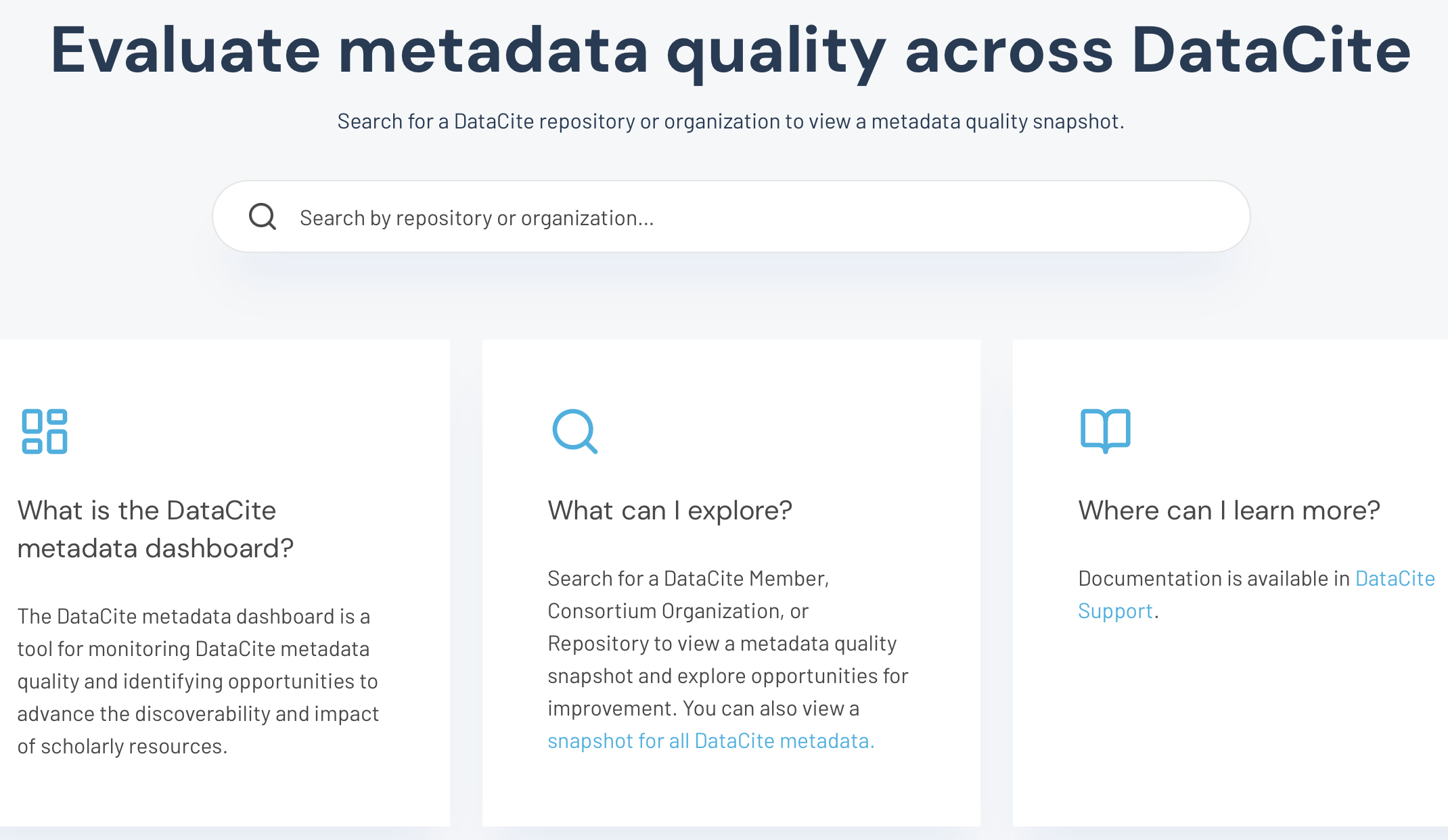
So it is a welcome development that DataCite have recently made a Dashboard available that allows at a glance an inspection of either a specific metadata record or a collection of such records to be made. The start point is https://metadata.datacite.org/ and here you can filter the record by a) the repository, further filtered by b) registration year and c) resource type (Figure 1). Thus:
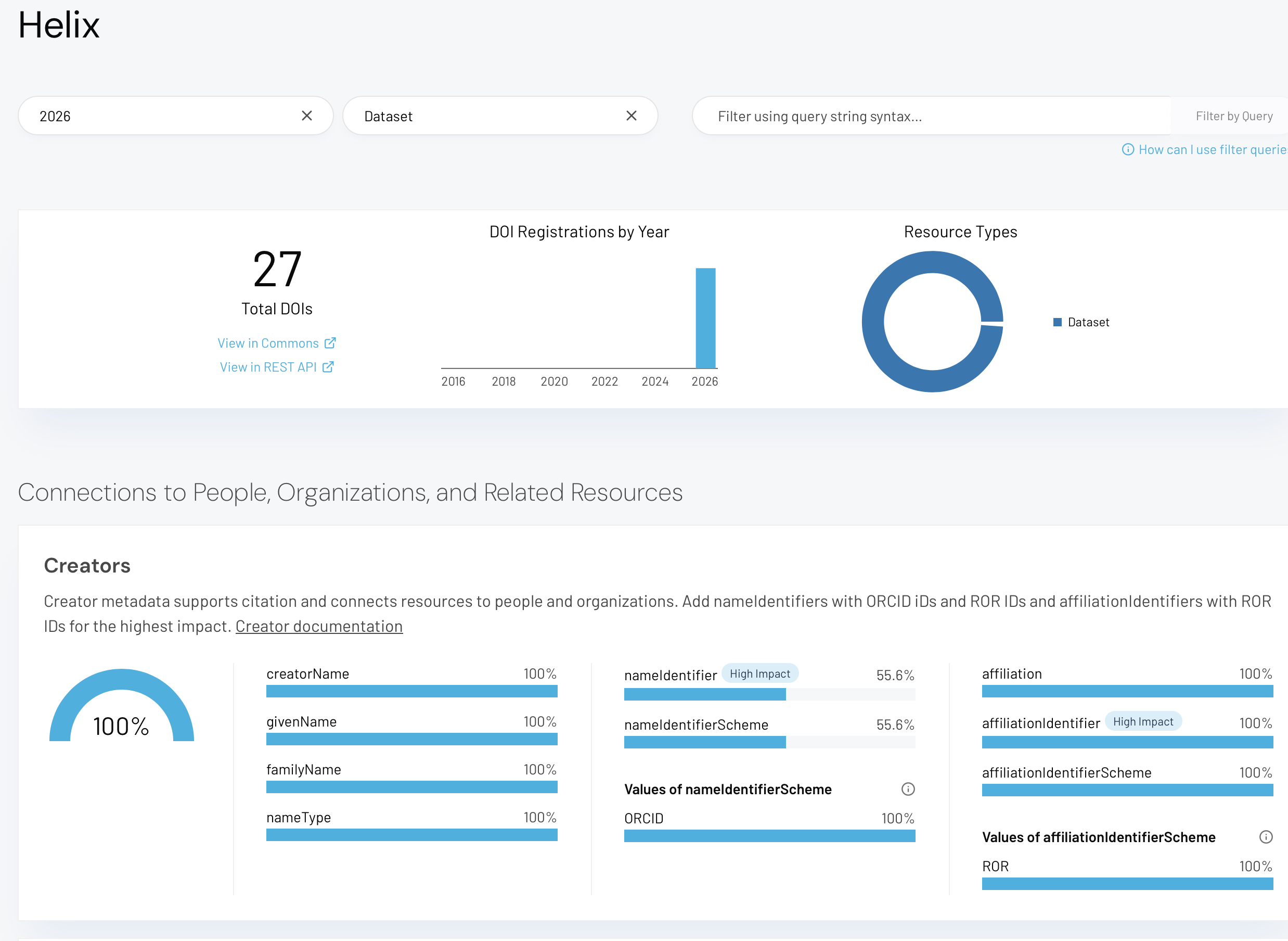
Figure 1. The DataCite Metadata Dashboard, showing a specified repository using the query
https://metadata.datacite.org/urks.helix?registrationYear=2026&resourceType=dataset
This dashboard now allows you to easily compare the two metadata records noted above, with the help of an additional DOI query filter which can be used to further narrow it down to a single dataset (queries 1 and 2).
- https://metadata.datacite.org/urks?registrationYear=2026&query=id:10.14469/HPC/15994
- https://metadata.datacite.org/cern.zenodo?registrationYear=2026&query=id:10.5281/zenodo.20657236
A prominent difference between these queries is the Subjects metadata, with for example the subjectScheme 100% complete for example 1 (Figure 2) and 0% complete for example 2 (Figure 3).
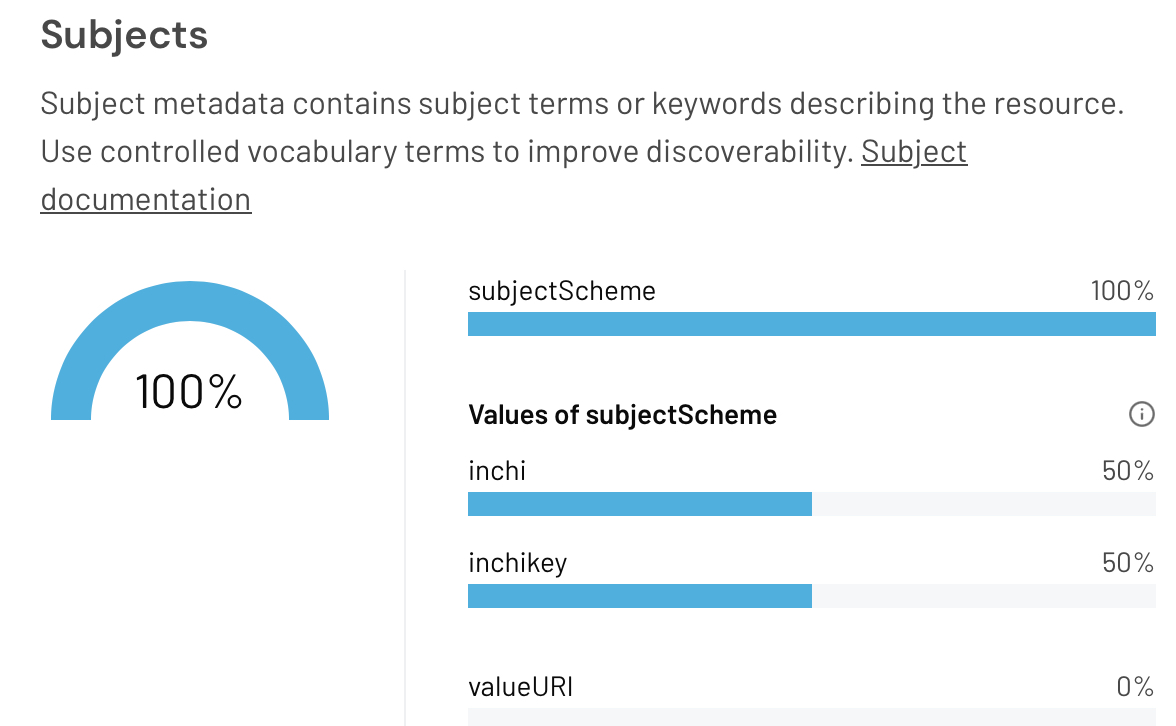
Figure 2. The Subjects panel of the DataCite Metadata Dashboard, for DOI: 10.14469/HPC/15994
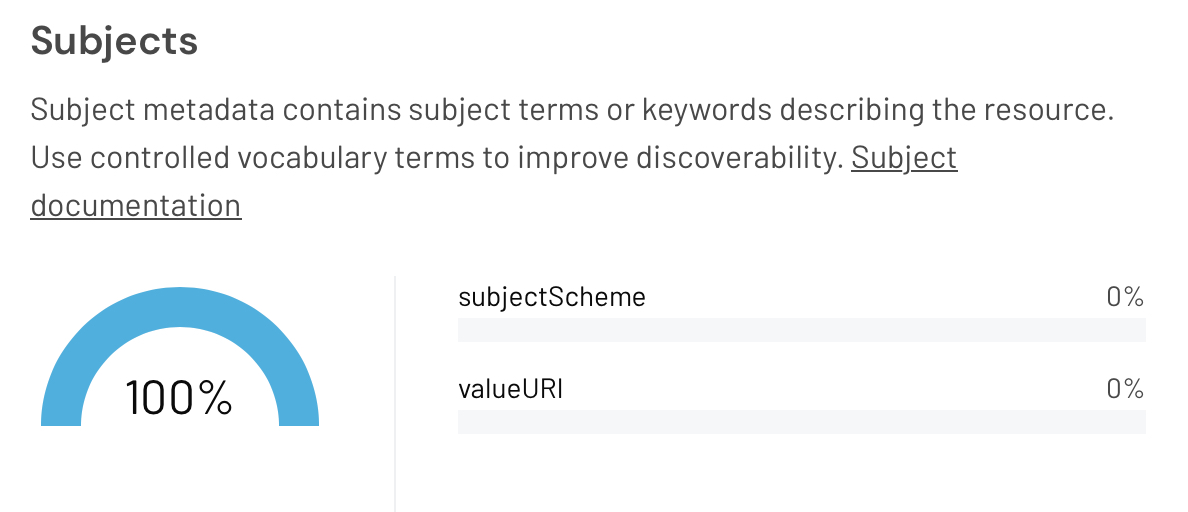
Figure 3. The Subjects panel of the DataCite Metadata Dashboard, for DOI: 10.5281/zenodo.20657236
Using the query filter to explore a range of other searches.
Searches 3 and 4 specify an individual depositor by their ORCID identifier and 2026 as a publication year, for two different repositories.
- https://metadata.datacite.org/bl.imperial?registrationYear=2026&query=contributors.nameIdentifiers.nameIdentifier:0000-0002-8635-8390+OR+creators.nameIdentifiers.nameIdentifier:*0000-0002-8635-8390
- https://metadata.datacite.org/cern.zenodo?registrationYear=2026&query=contributors.nameIdentifiers.nameIdentifier:0000-0002-8635-8390+OR+creators.nameIdentifiers.nameIdentifier:*0000-0002-8635-8390
The Subjects panels are shown in Figures 4 and 5. In these examples, both sets of depositions are made using the same automatic command line API[2] so human error or their lack of attention is not the cause of the differences.
Figure 4. The Subjects panel of the DataCite Metadata Dashboard for the bl.imperial repository for query 3.
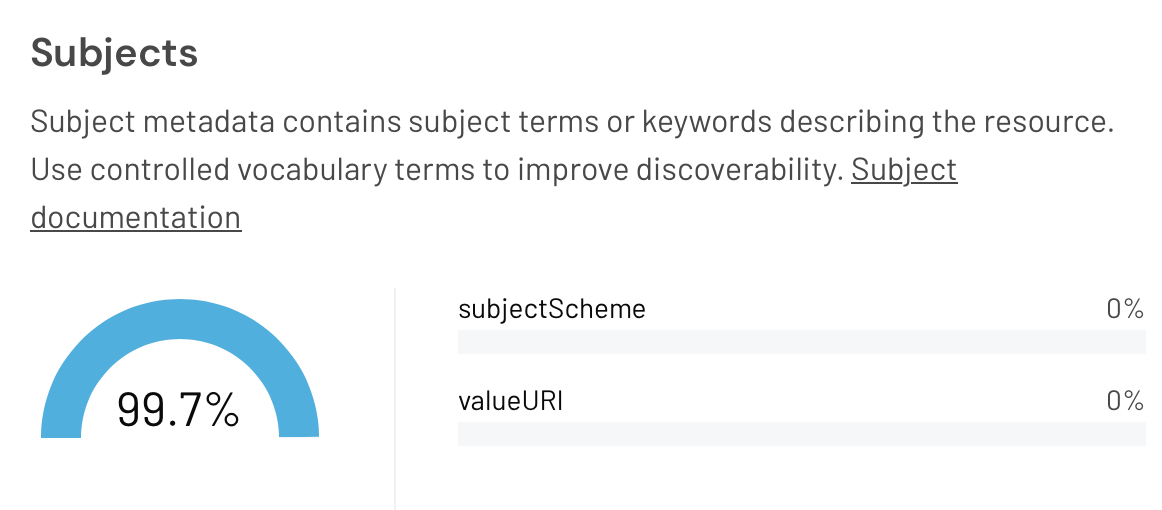
Figure 5. The Subjects panel of the DataCite Metadata Dashboard for the cern.zenodo repository for query 4.
Search 5 shows more direct use of a Subject filter (Figure 6) and use of this filter ensures that again the subjects metadata panel is well populated.
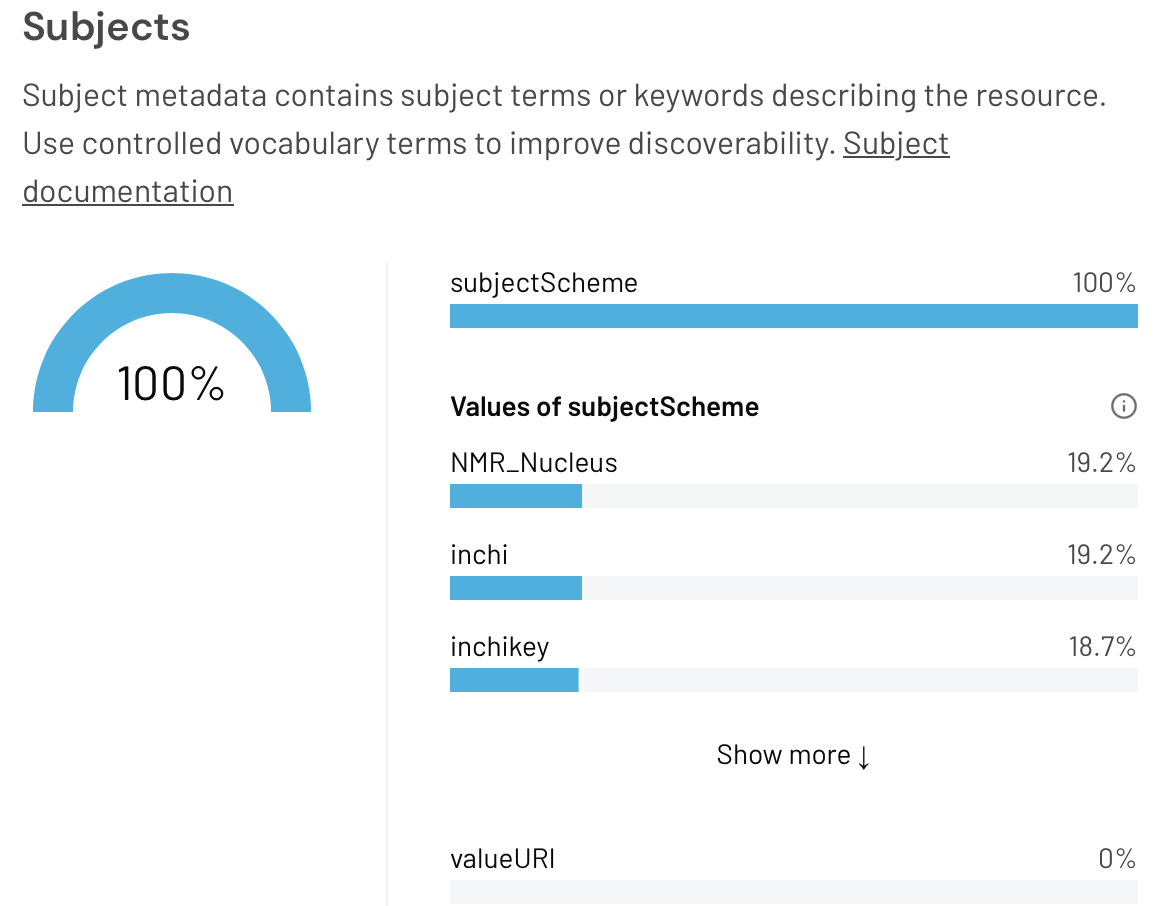
Figure 6. The Subjects panel of the DataCite Metadata Dashboard for the urks repository for query 5.
Query 6 (Figure 7) identifies datasets that have a directly associated journal article, showing the population of the “high impact” relatedIdentifier property.
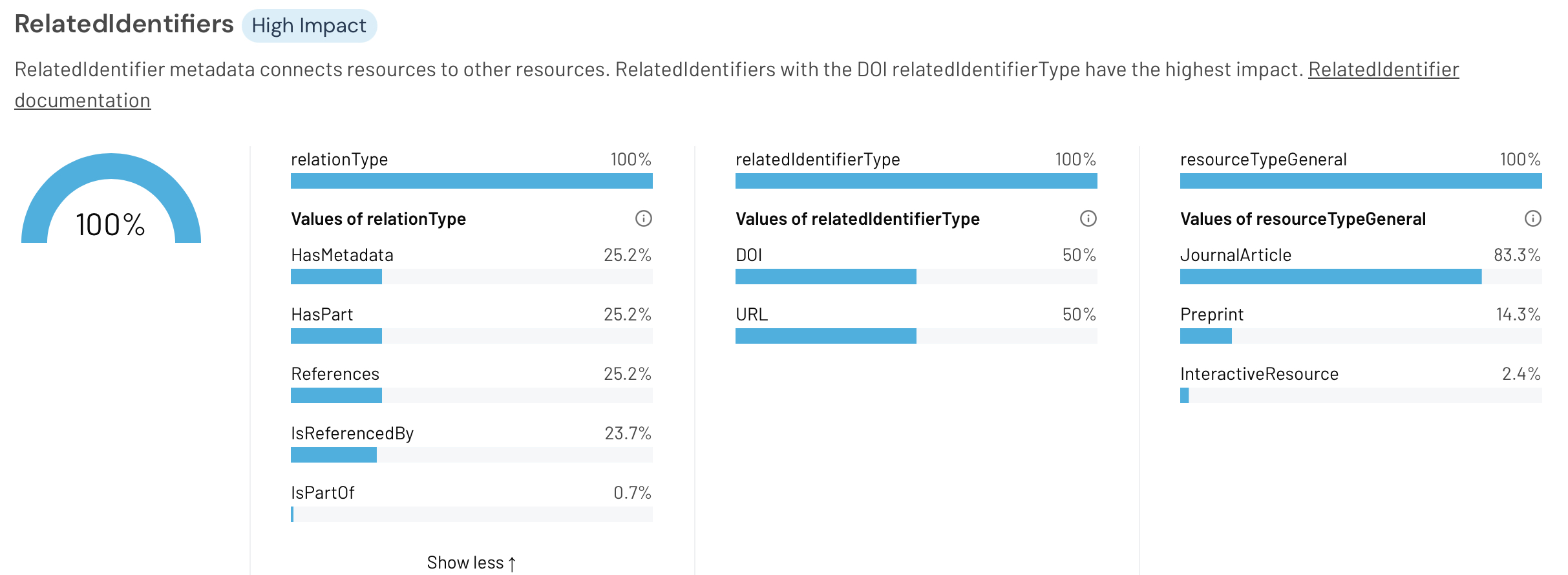
Figure 7. The RelatedIdentifiers panel of the DataCite Metadata Dashboard for the urks repository for query 6.
Query 7 showing again a very well populated Subjects panel (due of course to the filter applied below) with 100% occupancy of the subjectScheme.
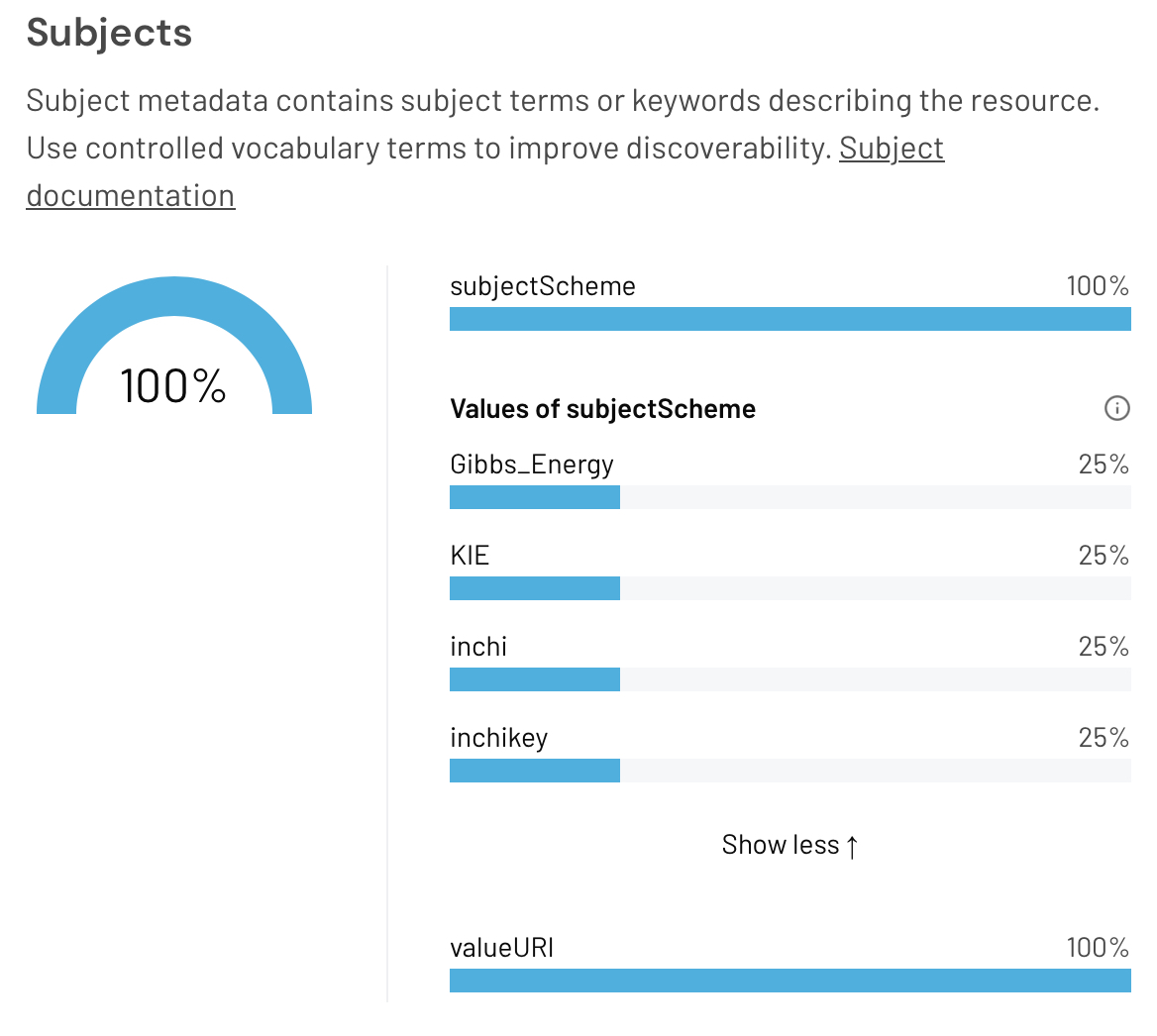
Figure 8. The Subjects panel of the DataCite Metadata Dashboard for the urks repository for query 7.
Query 8 shows how well populated the Subjects panel is for a whole range of users (excluding one subject-loving suspect!). It would be interesting to see if this population (albeit only 4.7%) was achieved by manual entry or by automatic API calls.
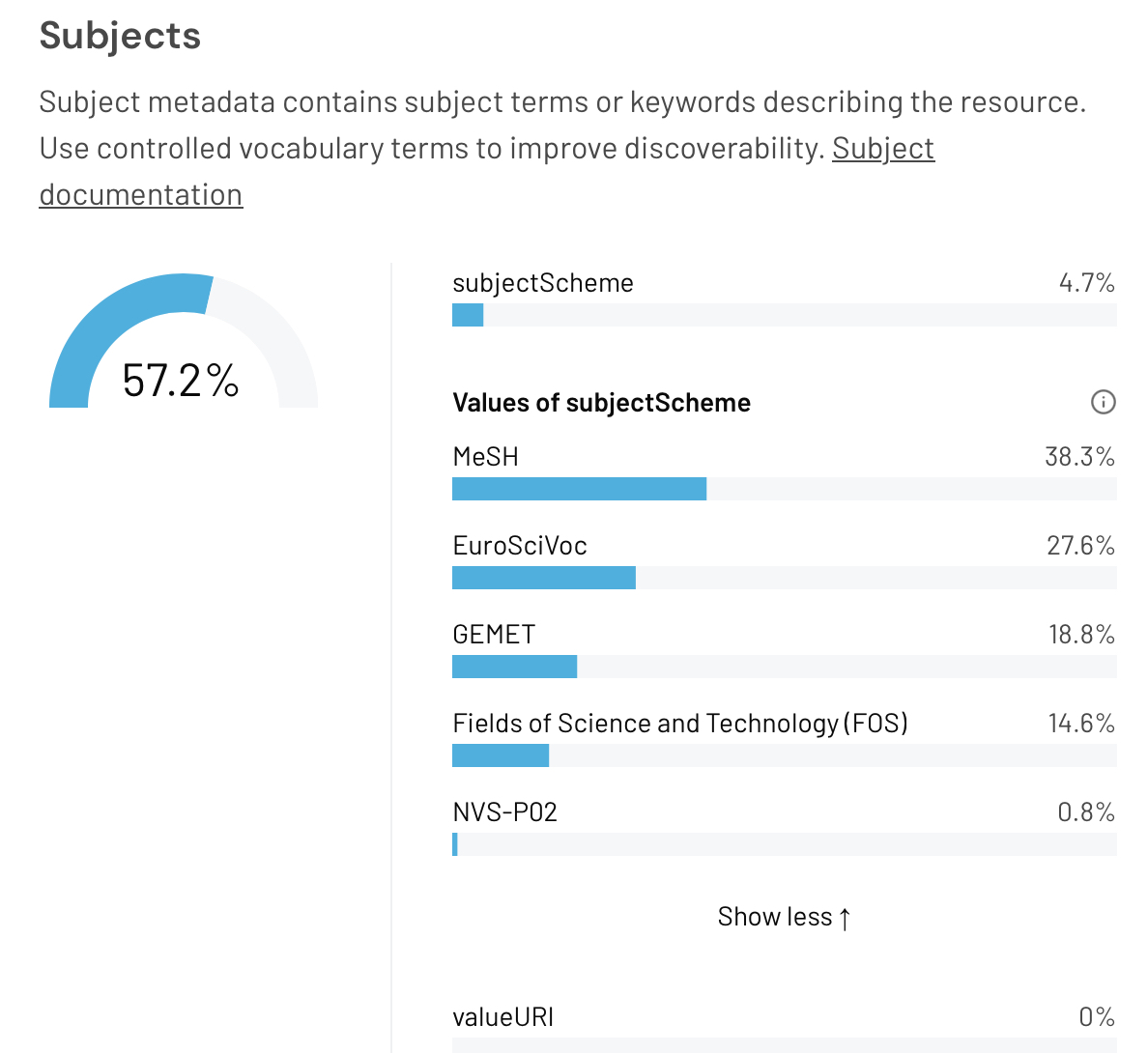
Figure 9. The Subjects panel of the DataCite Metadata Dashboard for the cern.zenodo repository for query 8.
Example 9 uses the InvenioRDM repository system whilst 10 uses a bespoke repository created in 2016 with metadata richness in mind.[2] Both these examples were crafted “by hand” rather than using an API tool and are limited only by the user interfaces of either repository.
- https://metadata.datacite.org/urks.helix?registrationYear=2026&query=id:10.82186/xjxch-zzb72
- https://metadata.datacite.org/bl.imperial?registrationYear=2024&query=id:10.14469/hpc/14835
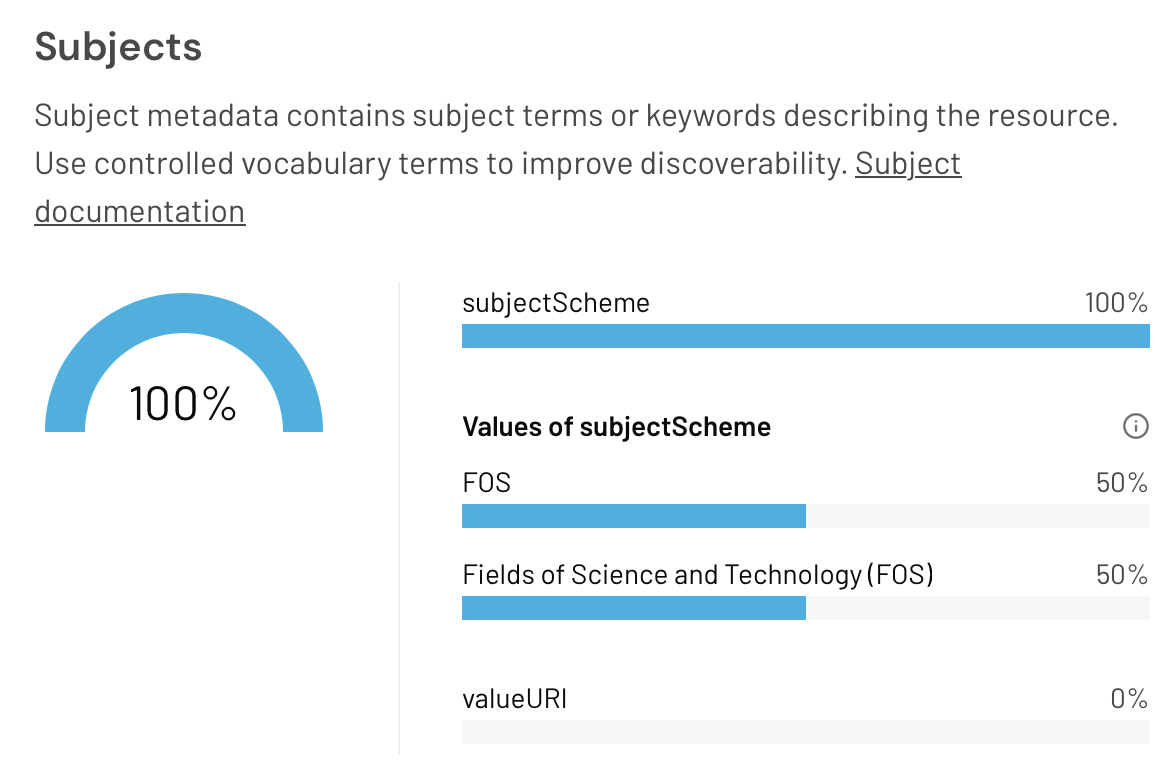
Figure 10. The Subjects panel of the DataCite Metadata Dashboard for query 9.
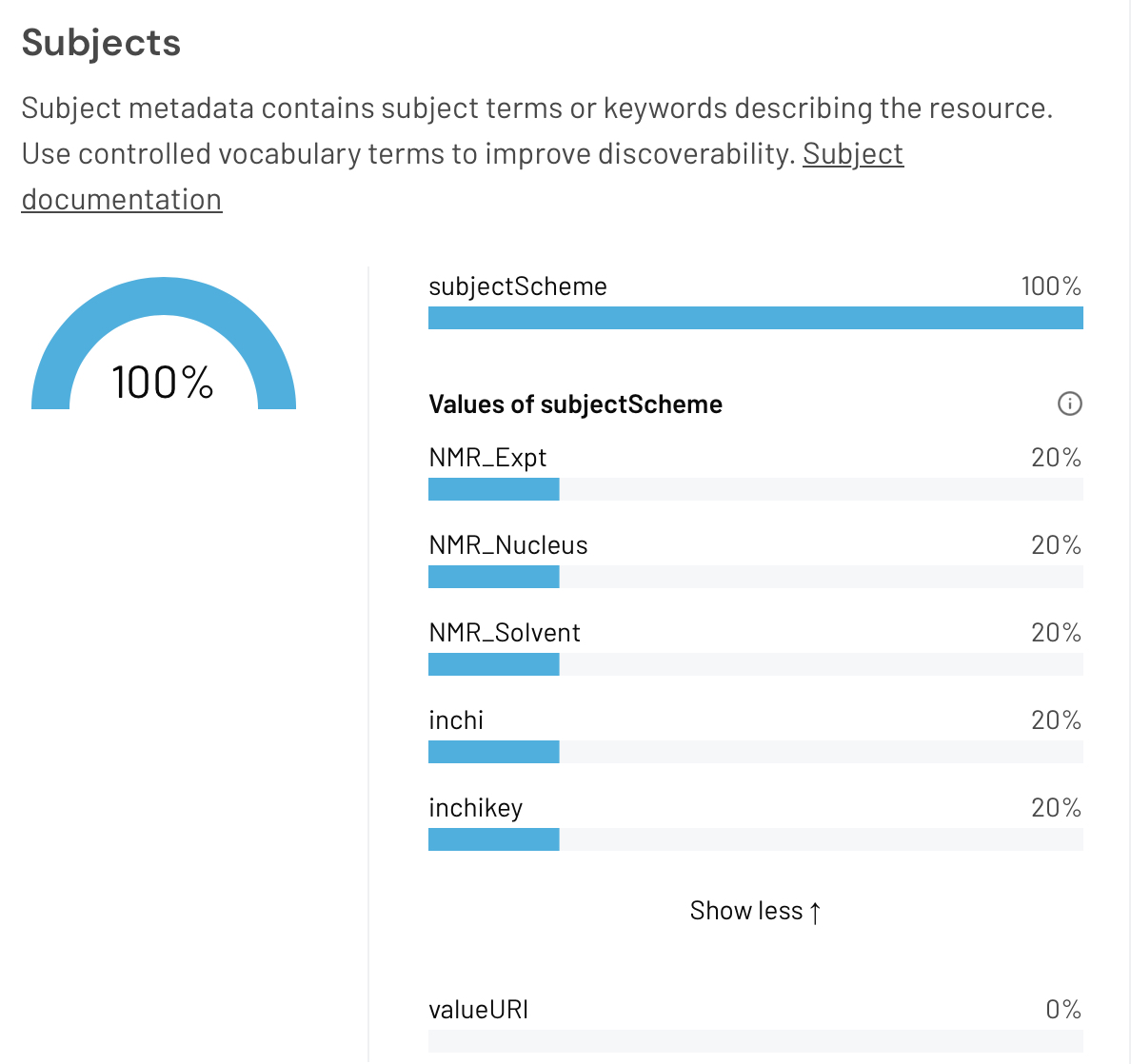
Figure 11. The Subjects panel of the DataCite Metadata Dashboard for query 10.
Conclusions.
It is to be hoped that analysis of research data metadata records using the DataCite tool will rapidly lead to a greater and richer population of these records. Wherever possible, these records should be populated using automated methods which do not rely on the patience of a human. My own candidate for increased population is the Subjects field, which can be readily automated and the presence of which allows finely tuned searches of the DataCite metadata store to be made.
DOI: 10.59350/ams3m-m3t92
Author

References
- DataCite Metadata Working Group., "DataCite Metadata Schema Documentation for the Publication and Citation of Research Data and Other Research Outputs v4.7", DataCite, 2026. https://doi.org/10.14454/qdd3-ps68
- C. Cave-Ayland, M. Bearpark, C. Romain, and H. Rzepa, "CHAMP is a HPC Access and Metadata Portal", Journal of Open Source Software, vol. 7, pp. 3824, 2022. https://doi.org/10.21105/joss.03824