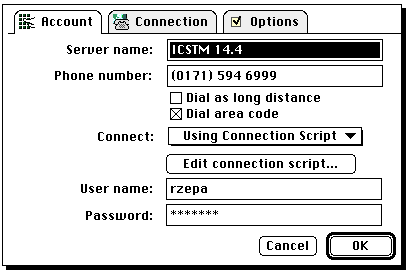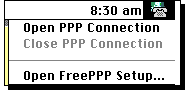
It is recommended that you use either a 28.8K or 14.4K Modem. You should install the FreePPP Software, which is also available from the Departmental File server under Communications/ E-mail/ FreePPP Install. Upon restarting your computer, an additional menu item in the top row should appear;
Before configuring, check whether you are using Open Transport (recommended) or MacTCP.
From the MacTCP control panel, select the following from the screens that appear
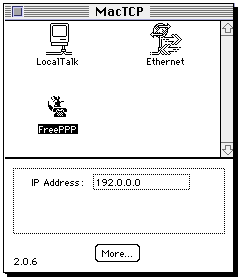
From the More... button
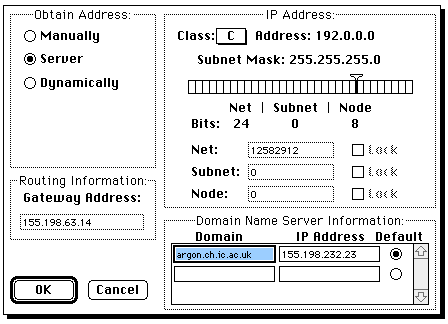
Enter the TCP/IP control panel, and configure it as shown below
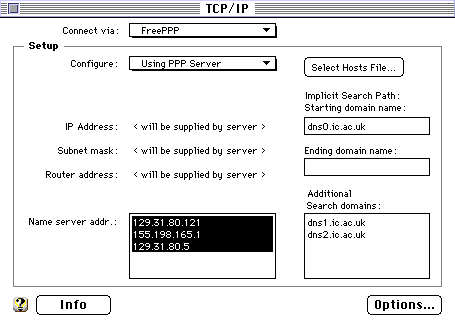
Now Enter the FreePPP Setup from the Menu bar along the top of the screen. You should get one of the following depending on how you configured above;
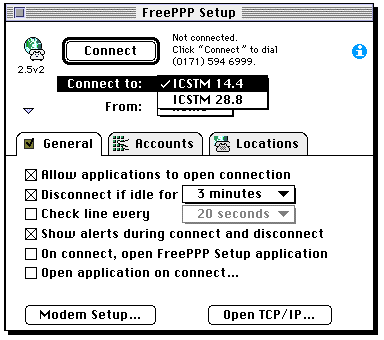
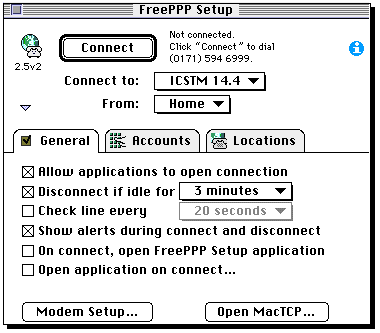
Select the maximum speed your modem operates at and go to the accounts menu;
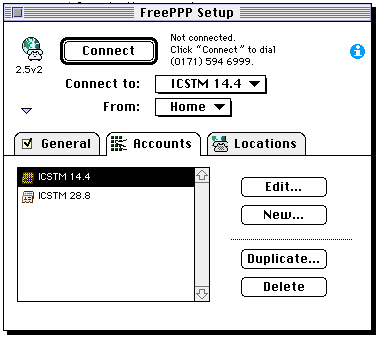
Click on Edit. In the user name field, enter the account you use to collect your e-mail, and below it, your password. You should now be ready to try a connection. When you use a program that requires such a connection, the modem should automatically dial and establish the call. Remember when you finish to close down the connection from the FreePPP menu at the top of the screen.